



I. Unified Color System: Establishing the Foundation for Brand Recognition
Color is the first visual element perceived. The colors of each layer in a multi-layer label should follow a unified color scheme:
1. Consistent Primary Color: Use the same primary brand color for the top and middle layers (e.g., red for vitality, blue for professionalism) to enhance recognizability.
2. Hierarchical Secondary Colors: Use secondary colors to distinguish information types (e.g., green for environmental tips, orange for warnings) to avoid confusion.
3. Transparency and Contrast Control: If bottom-layer information is displayed through a window, ensure the contrast between text and background meets readability standards (recommended ≥4.5:1).
II. Font Standards: Ensuring Clear and Consistent Text Hierarchy
Font consistency directly affects readability, especially in small spaces where meticulous attention is required:
1. Unified Font Family: For all labels. 1. Use the same font family (e.g., Source Han Sans), distinguishing levels only by font weight (Regular/Bold)
2. Standardize font size and line spacing:
Heading: 16–18pt, bold
Body text: 10–12pt, regular
Notes: 8–9pt, gray (#666)
Unified alignment: Primarily left-aligned, avoiding mixed left and right layouts that cause reading difficulties
III. Unified icon and graphic style: Strengthening visual language consistency
Icons are cross-language information carriers, and their style must be consistent:
1. Unified line width and rounded corners: All icons use the same line width (e.g., 2px) and rounded corner radius (e.g., 2pt), avoiding mixing line and area icons
2. Visual weight balance: Icon size and fill density are similar to prevent some icons from being "visually heavy"
3. Functional diagrams Fixed Label Positions: Icons such as "Scan Code," "Unlock," and "Environmental Protection" always appear in the lower right or upper left corner, creating a memorable operational memory.
IV. Layout Structure: Maintain Modularity and Spatial Rhythm
Although multi-layered labels have physical layers, the overall layout should reflect an internal logical unity:
1. Grid System Application: Use a uniform grid (such as an 8pt baseline) to control element spacing, ensuring edge alignment and balanced white space across layers.
2. Fixed Module Positions: The brand logo is always in the upper left corner, and production information is fixed in the lower right corner of the bottom layer, forming a "visual anchor point."
3. Anticipatory Design of Folded Areas: Simulate the layout effect in the unfolded state in advance to avoid line breaks and misalignment after unfolding.
V. Consistent Interaction Prompts: Let Users "Know the Next Step"
The essence of multi-layered labels is "interactive packaging," and its operation prompts... Consistency is also required:
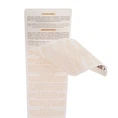
1. Unified unveiling symbol: All peelable areas use the same arrow style (e.g., ▲ or ↑) + "Peel here" text prompt.
2. Animation simulation effect: Add slight shadows or gradients to the edges of the label to simulate a "peelable" texture, enhancing the sense of operability.
3. Consistent status feedback: The "Opened" mark (e.g., VOID) left at the bottom after peeling off has a consistent style, enhancing anti-counterfeiting credibility.
VI. Cross-platform and multi-terminal consistency (if applicable)
If the label is used in multiple online and offline channels (e.g., e-commerce detail pages, AR QR code displays), the following must also be ensured:
1. Consistent visual style between digital and physical labels.
2. Consistent QR code style, position, and color to avoid user confusion.
3. The R content loading animation echoes the label unveiling effect, creating a brand-specific experience.
